Hi all!
Today I am going to run you through a very BASIC guide on how I take and edit my Bookstagram photos. If you want to follow me visit @my_bookish_universe. I am by no means a professional photographer/editor. In fact, my images cannot compare to some incredible accounts I’ve seen online. But if you are curious to start a Bookstagram, and only have a simple smart-phone, I can show you how to make your pictures look a bit more presentable and fun. Let’s get into it!
WHAT I USE TO TAKE MY BOOKSTAGRAM PHOTOS
I take all my photographs on an iPhone 6. I may not have the latest model, but I really like the quality of the camera.
HOW I TAKE MY BOOKSTAGRAM PHOTOS
The theme of my Bookstagram is: colour. I like to include lots of bright tones and playful patterns. I also aim to match the book covers with similar backgrounds or props that relate to the titles. Here are a few examples:
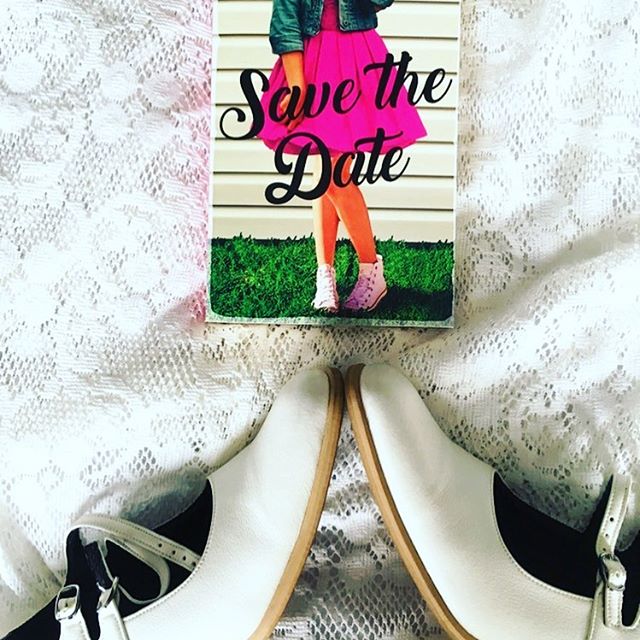
In this photo, I’ve used a lacy white dress and my actual wedding shoes, to match the theme of the book itself. I like how it makes the colours on the cover pop. I’m really proud of this one.
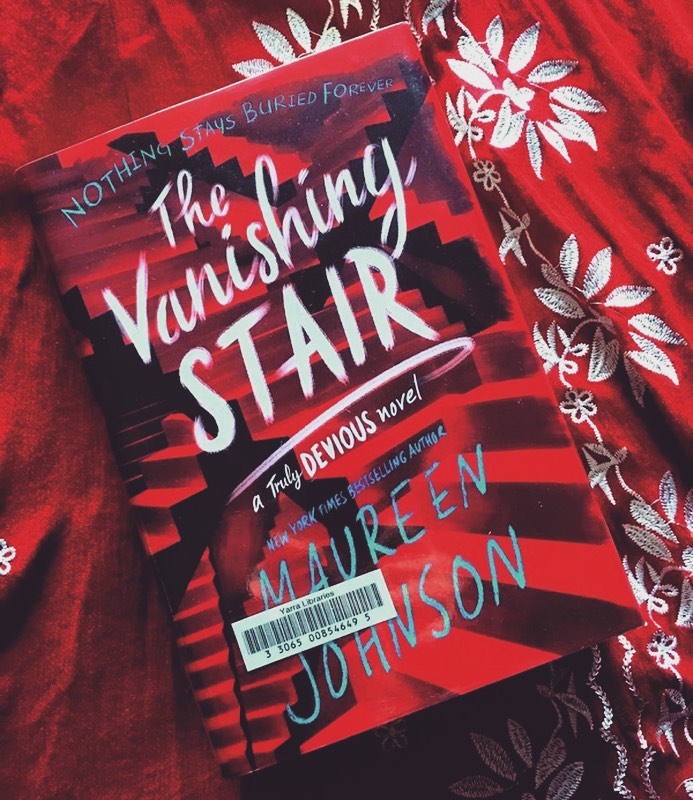
In this photo, I’ve matched my red and white dress with the cover of the book. I can’t believe how good it looks against this background!
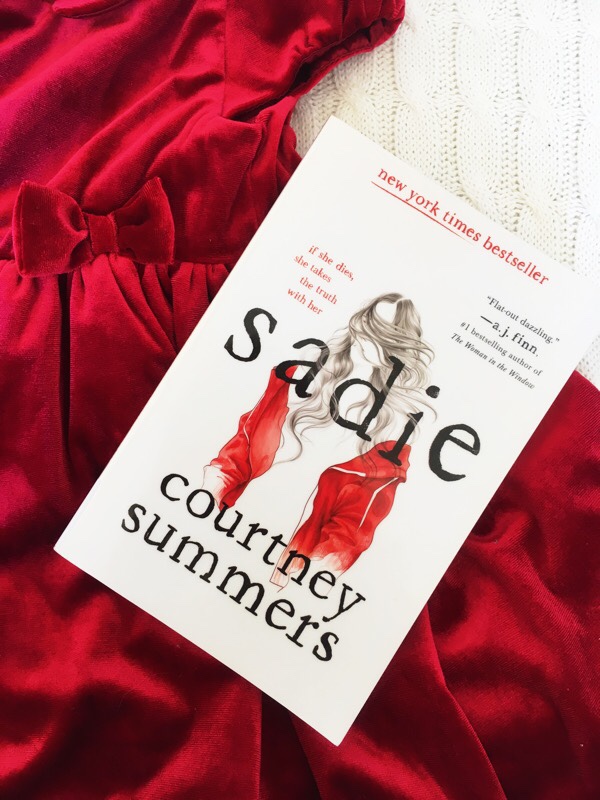
You would not believe how many of my daughter’s things make great Bookstagram props. I have her red velvet dress and white baby blanket as a background. I like how those two shades, match the colours on the cover. The little girl’s dress is also relevant to the plot itself.
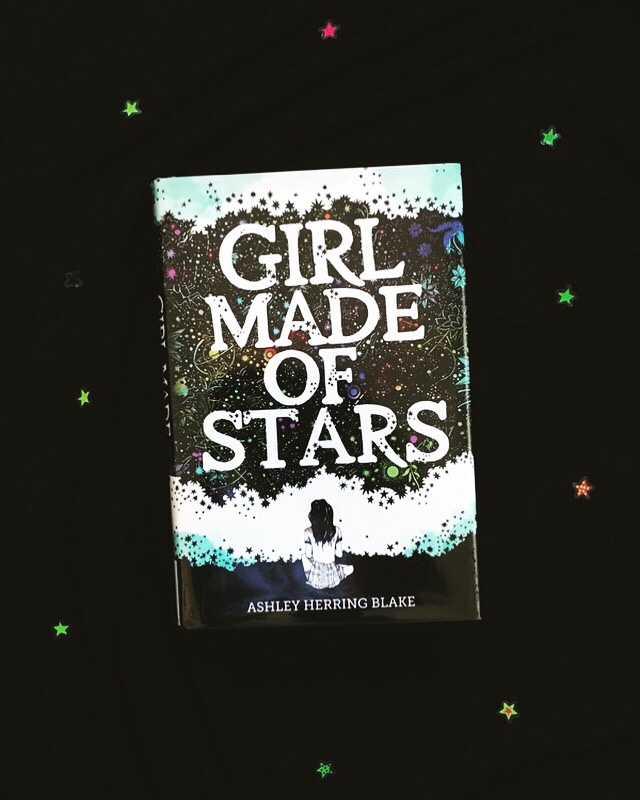
This Bookstagram photo is quite simple, but still effective. I put the book on a black background, then added star stickers to the fabric. It really brings out the galaxy-style cover.
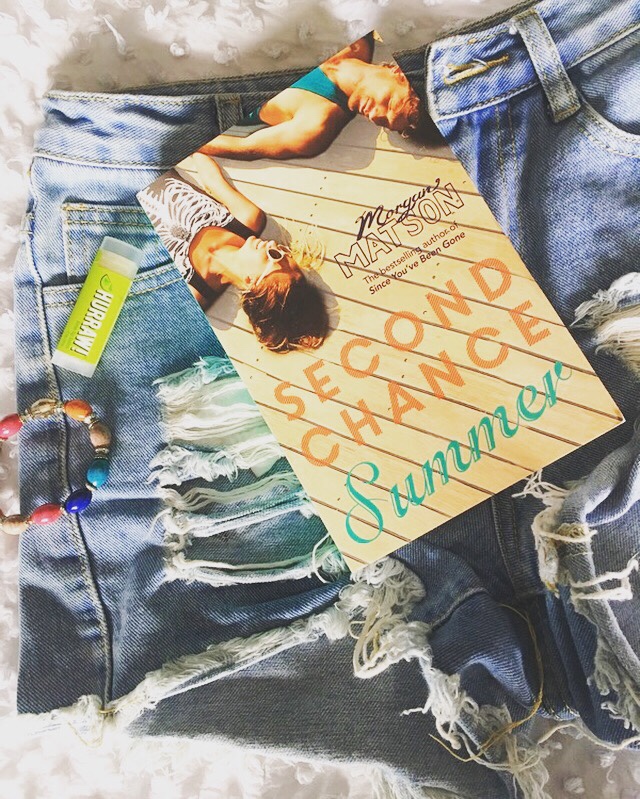
For my final example, I’ve included denim shorts, a chap-stick and bracelet. I wanted to bring out all the summer vibes. You can find so many props lying around your home, that can add extra life to your photographs.
WHAT I USE TO EDIT MY BOOKSTAGRAM PHOTOS
The app I use to edit my Bookstagram photos is called Afterlight. It’s free on the Apps Store and so easy to navigate. You can edit your photos yourself or use the filter packs provided. I am a huge fan of the Seasons pack (see below). The Equinox filter is also one of my favourites (again see below).
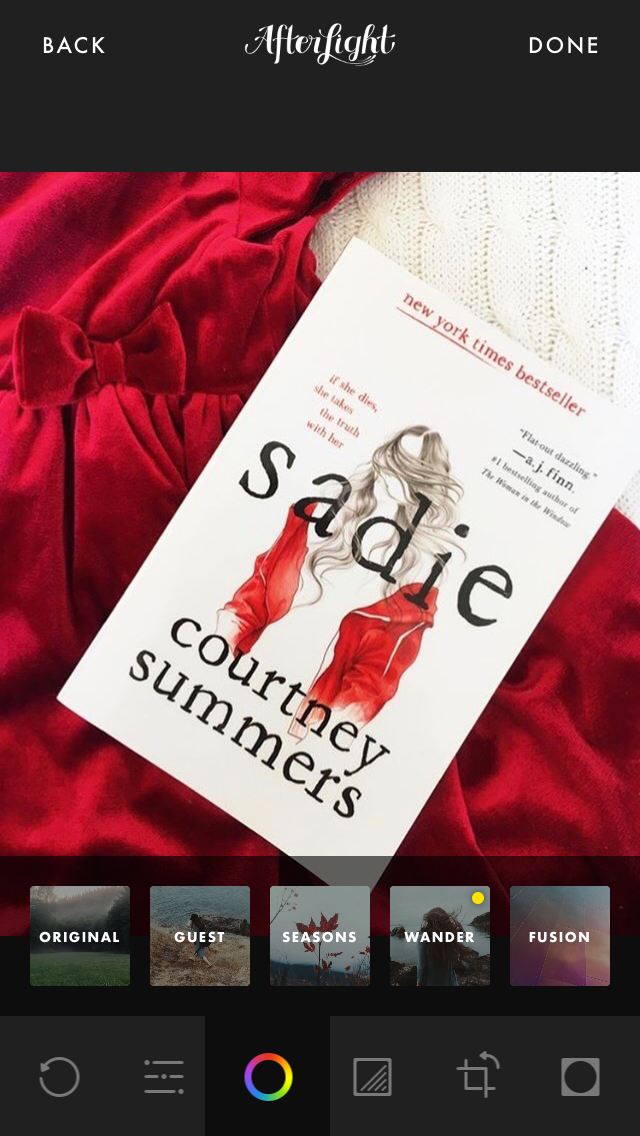
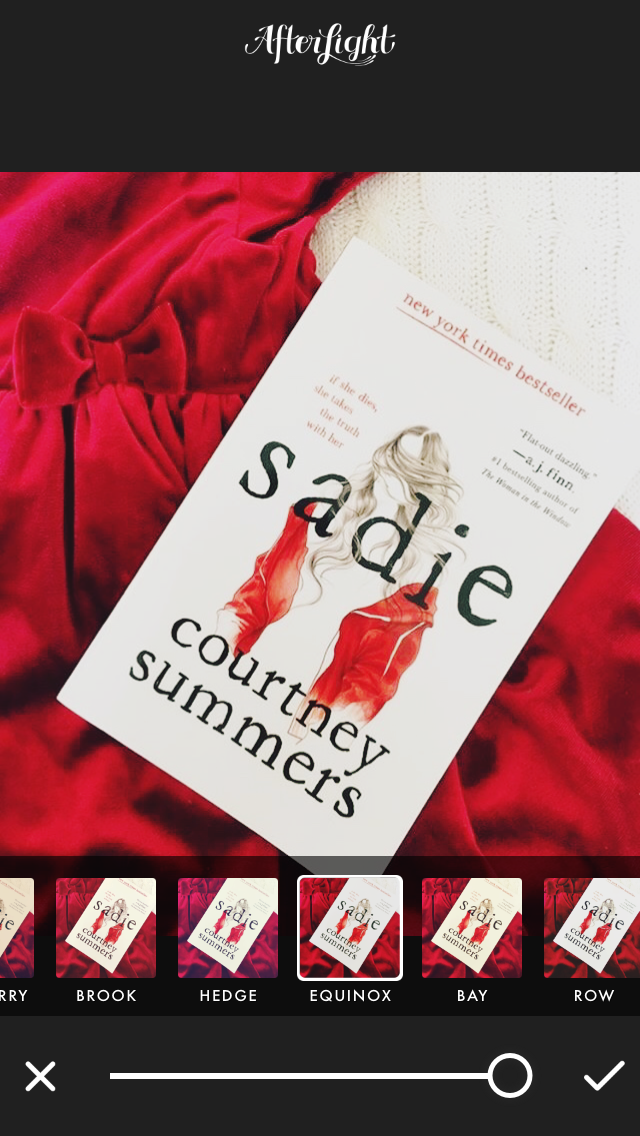
Thank you so much for reading! I hope you enjoyed this basic guide and found it helpful. Please link your Bookstagram accounts (or your favourites) down below. Also, feel free to provide me with tips. I’m always learning and really want to keep upping my photography game!
Peace & Love xoxo


Leave a Reply